Thursday, February 5, 2009

Okay I lied

I did two tags for Miss Diamond's Sweethearts Club, the banner for T-13 and then I went to sleep. The Doctor says it's not strep (I knew that) and that my glands aren't swollen (I knew that too) and to take two asprin and call him in the morning. Well not really. He told me to take some over the counter stuff and if it gets worse to go to the walk in clinic.

These turned out pretty cute though. The first is for Momo and her intended is Socks.

Momo's Valentine


I used the very beautiful "Be Mine" kit from Yarrow - with the exception of the post card, which came from the Amethyst freebie sampler from Scraps by J0e's Wife. There are post cards in the kit but they are decorated and not really suitable for writing on.

I wasn't going to buy this kit because I have more than enough Valentine's Day stuff, but Yarrow had a $1 sale so...what the heck. Now I'm glad I got it. I also used it for Tony's tag on today's Puppy Love T-13.

The Pearl alpha is from Carjazi Designs, and I've used this one quite a bit because it shows up so well on a variety of backgrounds.

This next one is from Shadow from The MisAdventures of Me, and his intended is Mickey's sisfur Georgia:

Momo's Valentine


I used the "Steal my Breath" taggers kit from Designs by Helly. This kit is also available in full size at Ahhh Scrap. Anything by Helly is sure to be good, and this was no exception.

The pink alpha is from Delicious Scraps. Both pieces took a little while to do with the lettering. There is no way to rush that. The Silver frame is from the mysterious frame freebie pack from Chaos Priestess.

The word art is I think from someone name Deborah. I'm not at home, so I will have to check when I get there.

Don't miss our Puppy Love presentation at Diamond's Lair. It's really cute. I'll have the tag by tag breakdown with designer credits starting tomorrow.

Wednesday, February 4, 2009

Night Lovers

As I was logging out of DC after buying Blow Pop, a kit caught my eye. It was from Scrappy Redhead (naturally). Anyway, Tizzy's Angel up up a new kit for a $1 and Yarrow was having a $1 sale yesterday so I went back and got this one, which is called Night Lover.

I was trying to make it gothy, but it's not really a gothy kit.

Night Lovers


The gothic poser is from Untamed Angel, and I really need to find something more Gothy to play with her in.

The Diamond alpha is from JoBeth at J.W. Scraps.

Night Lovers


I tried a second layout with a goth poser, but it wasn't working. So I switched to one of the Belle of the Ball posers from Perfect Poser.

Maybe I just wasnt' awake enough, I dunno. I'll come back and play with this later, when my throat doesn't feel like someone dropped acid down it. I got some new cowgirls so I thought I might do some nice western layouts tonight. It's been a while.

Blow Pop

I have a miserable head cold and have been slogging through the Puppy Love project - which is done and ready to launch - so I've not done a whole lot of other tagging. Nor did I get to Cats on Tuesday, nor have I updated Mr. Tristan's site...

::sigh::

J0e's wife released the Blow Pop kit which is really NOT my style, but it appealed to me for some reason... maybe it was the bright colors. The poser is from Incognito, she is packaged with the kit and I actually had to look in the credits before I recognized her, although I knew I'd seen her before.

Blow Pop 1


I did this one Sunday night and I really wasn't inspired. After thinking about it for a little while I came up with this layout, which is a bit better:

Blow Pop 2


Not totally happy with the lolly, but it's workable. I thought about tuting it, but I just don't have the energy right now. I just want to nap for like a billion years...

I did use this kit in one of the Puppy Love layouts tomorrow, since I suppose it could work as a Valentine's kit. The bright colors may also make it suitable for some kids tags. I'll figure it out somewhere along the line.

Tuesday, February 3, 2009

Mermaid Dreams in the Ocean

I was expecting "Fairy Dreams in the Spring", instead I was quite surprised to find "Mermaid Dreams in the Ocean" available at Sweet N Sassy Digi-Scrapers. However, any offering from Urban Mermaid is a welcome one, so...

This is beautiful ocean kit, the main downfall of which is that the elements are all quite small. It might almost be worth buying the full sized kit so you can keep the elements at a larger size and resize the papers for taggers use. However, Maltese Scrapper did give us a whole bunch of shells last month, so I have more than enough oversized shells as it is.

Mermaid Dreams


I used the Gwyneth Paltrow looking Mermaids by Perfect Posers for these two tags. The one in this tag is the from the Mermaid Bride pack, and one below is from the Mermaid Fae pack. You can find them both at Aussie Scraps. For this tag I used one of Cameron's Ocean Masks and masked paper number 10 to get the sand colored bubbles in the background. The seahorse is one of the brushes included in the kit.

The Beach Bum alpha is courtesy of Digi-Designs by Nicole.

Mermaid Dreams


The large shell is, as I mentioned above, from the Maltese Scrapper. I was looking for an oyster shell, but in the end decided it didn't really matter.

There is to be an official announcement of the release and a corresponding freebie on UMD's Blog on Friday. I'll be looking to snag the full size freebie so I can have bigger elements to play with. LOL!

Monday, February 2, 2009

Ballerina Bear and Beary Rufus

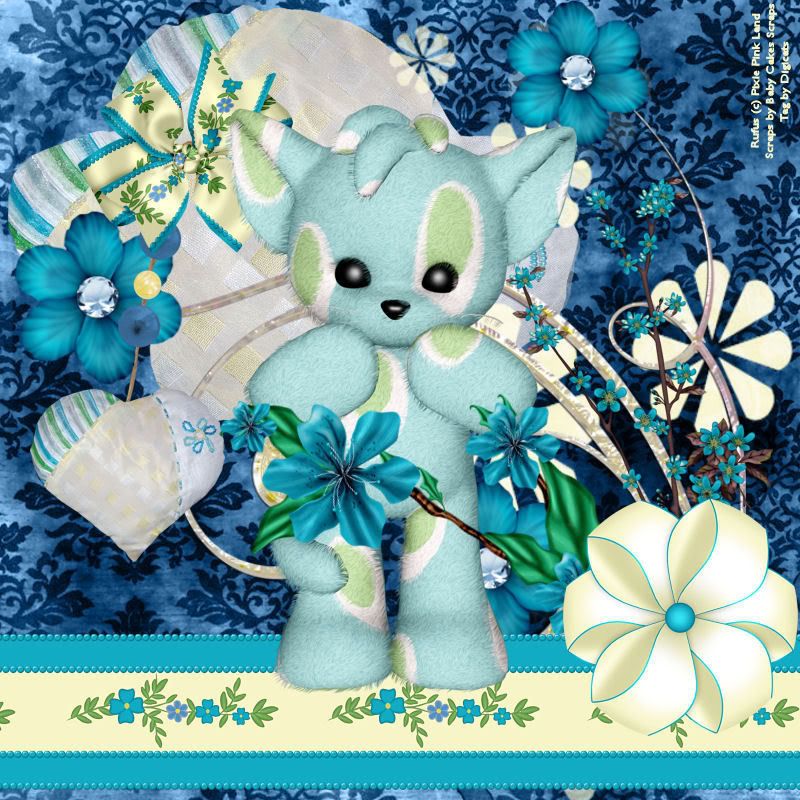
Lynne at Baby Cakes Scraps released a very adorable kit called "Beary Sweet" which I just squeed over and had to have. I had originally planned to do a set of "beary" tags...you know "You are beary sweet," "You are beary kind," "You are beary beautiful," etc. and was thinking I need bear posers. Then said "Oh yeah, I've got this whole stack of Rufus and the color would work fine."

It did not hit me until I sat down to work on these that Rufus is a cat, not a bear. So...I will probably still do the beary tags, but with a different kit, as I have Sweetheart Bears from Missy I can use in them. But the color is pink and it won't work with this kit.

In any case, these are all snaggable so if you want to grab them and add your child's name to them - I left room on all of them - please feel free. Personal use only, please. Rufus is (c) by Pixie*Pink*Land and was part of her Nursery B kit.

Beary Rufus


Beary Rufus


Beary Rufus


Beary Rufus


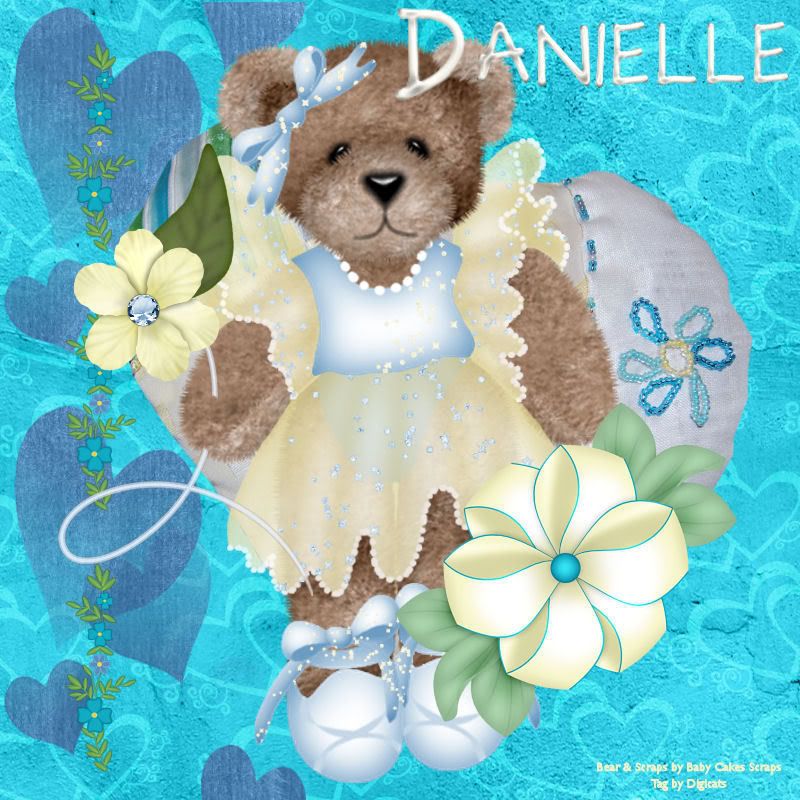
The kit comes with a bear - in two sizes - and as Miss Danielle has the ballerina bear theme going, I did this cute little tag for her, using the teddy in the kit:

Beary Rufus


You can purchase "Beary Sweet" at Creative Scraps.

I was supposed to be working on tags from a new kit by CWD, "Little Miss" but I got side tracked with the superbowl and weekend cat blogging. More kids tags. But those are still coming soon.

Down Under (Part II)

In doing the Down Under project I had three sources of scraps and an alpha. The main source came from Krissy's Scraps Independence Day taggers kit. Krissy is a Kiwi designer and yes, the kit was done for American Independence day, but that's the nice thing about red, white and blue. It's multi-useful.

The Aussie scraps came from the Aussie Day Mini-Kit from Lindsay Jane Designs, who hails from Adalaide, and the Aussie Day Mega Kit by EmCee Designs.

The Alpha is from MeeGee Designs, a lady who lives in Sydney. So aside from the scraps I actually made, they're all from down under.

Mushka

Burmese Cat


I was a bit unhappy with this one because of the quality of the photo and because the tag, which is horribly cute with the Kolas, broke up the red white and blue theme. However, I couldn't find a better pic as I'd dragged my feet putting this together. The glitter line is actually from the Love Song taggers kit by Farrah's Creations.

Molly

Torti Cat


I had to make the circle frame, using a template from Creationz by Jo. The button is from the Aussie Mega kit, the flag from the Aussie Mini-kit. The metal alpha is by Nettie B.

Molly is Oscar's sister and occasionally hijacks his blog.

Huffle

House Panther


Huffle must not read Diamond's blog as I've done several pieces with her and we've never gotten any feedback. The background is from the Aussie Mega kit. That is a full size kit and I couldn't use the resize script on the papers because when the program sets the canvas width and crops the image if it doesn't fit. Because of the way the paper is set up, it would have cropped wrong, so I had to do it by hand.

Gypsy

Domestic Shorthair


I was a bit disappointed in this tag as it was too busy. I didn't know where I was going with it, started out doing something else, didn't like it, changed it and tried adjust for the change, and it just didn't really work.

Diamond

Russian Blue


This is not my Diamond. This Diamond is a beautiful Russian Blue, who's looking quite stellar with my home made Southern Cross. All the fireworks on these tags are from the New Year's Bash taggers kit by Tantrum Scraps.

Bombay

Tabby Cat


The post card, which has polish stamps on it - I couldn't find with with Aussie Stamps - is from Voodoo Scraps. The Red Gel alpha is courtesy of Free Digital Scrapbooking. The background is from the Aussie Mega Day kit, another one I had to resize manually.

Bangles

House Panther


This actually turned out pretty nice. I used a mask from wee Scots Lass to break up the picture. The Silver Alpha is courtesy of Free Digital Scrapbooking.

Bonus Kitty - Misha

Russian Blue


Misha is a Russian Blue that lives in New Zealand. I did this piece for Blue Wednesday over at House Panthers. The scraps are from the January Collab at United Scraps 4 Taggers. I've already decided I don't need the February Collab, which wouldn't be worth the time it took to download, given all the rest of the Valentine's Day kits I already have.

Misha was pleasantly surprised at the honor of being a featured House Panther. Here he looks more surprised of the paper butterfly!

Saturday, January 31, 2009

Blood Moon Tutorial

Blood Moon


This tutorial was written by Dianna of Digicats. Any resemblance to any other tutorial living, dead or undead, published or unpublished is purely coincidental.

This tutorial assumes you have a working knowledge of PSP. It was written using PSP X1, but should work with most versions of PSP.

Materials Need:
Cameron's Ocean Mask #2, which is available HERE.
WSL Mask #222, which is available HERE.
The new Blood Moon kit from Scraps by J0e's Wife, which is for sale at Digital Chaos.
Tube of choice. I am using the awesome artwork of Joseph Corsentino, PSP# 11065 Ashlin Titanium.
You need a license to use this artwork, it can be purchased at MyPSPTubes.

Tutorial:
Open a new raster layer, 800 x 800 pixels, flood fill white.

Open Paper 30, resize 65% add to image.

Open Paper 1, resize 65%, add to image.

Layers-->Load/Save Mask-->Load Mask from Disk. Find Cameron's Ocean #2, make sure the "fit to layer" box is checked and apply.

Layers-->Merge-->Merge group.

Layers-->Merge-->Merge down.

Layers-->Load/Save Mask-->Load Mask from Disk. Find WSL#222, make sure "fit to layer" is checked and apply.

Layers-->Merge-->Merge group.

Open Blood Moon Element and resize 50%. Add as a new layer, centered at 600H by 200V.

Open Eyelete ribbon Heart frame 3, resize 65% and add as a new layer. Center.

Open tube and extract the transparent layer, and add to image. Center. Expand tube to 300 pixels.

Swap with Frame layer and with the tube layer activated, erase over the portions of the frame that cover the bottom of tube

Swap layers back so frame is underneath tube. With the tube layer activated, clean up any erasing that needs to be done.

Open pentacle and half moon charm 1. Mirror image and add to tag. Center at 280H, 500V. Erase the clasp and ring, leaving only the charm part.

Add copyright info and license number.

Add text as desired. I am using the Omnibus Multiserif system script, bolded, with the transparency set to 75%.

Save artists copy as a .pspimage file. Drop the white background if desired. Go to Layers-->Merge-->Merge visible and save as a .png (or .jpg if you're keeping the white layer) file.

Please feel free to drop me an e-mail if you have any questions or need help with the tutorial.

Time of the Faeries

My Gothic Valentine (Tutorial)

My Gothic Valentine


This tutorial was written by Dianna of Digicats. All resemblance to any other tutorial living, dead or undead, published or unpublished is purely coincidental.

The tutorial was written in PSPX1, but should work in most versions of the program. It assumes you have a working knowledge of PSP.

Materials needed:
Goth tube of choice. I used Vinegar's Duke of Shadows. You must purchase a license at MyPSPTubes to use this tube.
Mask of choice. I used Mask $59 by Wee Scots Lass, which can be found HERE.
The Gothy Valentine taggers kit by Melisa's Scraps, which can be purchased at Creative Scraps or Aussie Scraps.

Open a new raster layer, 800 x 800 pixels, and flood fill white.

Open Paper_8 of the Gothy Valentine kit and resize 75%. Add as a new layer.

With the new layer active, select Layers-->Load/Save mask from Disk-->Load mask from Disk. Find WSL Mask # 59. Make sure the the "adjust size to layer" button it checked and apply.

Selections-->Merge Group.

Open Mask_1 element and resize 75%. Add to image as a new layer centered at 200 x 200, upper left hand corner.

Open the Duke of Shadows tube. Extract the tube and add it as a new later to the image. Center and expand slightly to 400 pixels across.

Open Heart_Doodle1, and add it to the image as an layer. Center at approx 420H and 530V.

Drag under tube layer.

Open LaceFrame_1. Select are 300 pixels x 300 pixels upper left hand corner. Press Delete.
Selects-->Select None.

Selects-->All. Copy & paste as a new layer in main image, and center.

Erase portions of the tube below and on the frame to suit.

Reverse layers, making the frame the top layer, then reactivate the tube layer and made adjustment to erasing as necessary.

With the frame layer active, Open Long StemRose1. Resize to 50 percent, and add as new layer and centered at approximately 450H x 650V.

Select Wings_1 and paste as a new layer covering the stem of the rose. (Centered at about 540H x 450V) Rotate to suit.

With the Rose layer active, select RosePetals_6, resize to 25% and paste as a new selection along the bottom of the image at random. Repeat twice. Select -->Select None.

Repeat the above line, using RosePetals_7.

Add copyright and text as desired. I used the Horros font for the name, which can be found HERE.

Adjust Mask_1 to suit. I moved mine to the right enough to remove any of the white between the tube and the mask.

Save artist's copy as .pspimage. Dismiss white background layer if desired, and choose Layers-->Merge->Merge Visible and save as a .jpg or .png as desired.

Friday, January 30, 2009

Midnight Dreams

The Scrapping Bratz Valentine Blog Train is set to leave the station tomorrow, although several designers already have their offerings up if you care to get a jump on the thing. This is a big one, so it's probably going to take a while to collect. Myself, I'm sort of valentined out and am wondering if I really need to do this - I've probably got as much VD stuff as I do Xmas! Yikes!

So, Valentines aside, Designs by Ali had released a new kit call "The Pirate in Me" so I was all set to do Pirate tags last night. Or so I thought. When I went to download the kit, the file came back invalid or corrupted. ::sigh:: So instead, I decided to work with another Designs by Ali kit, called Midnight Dreams, which I'd purchased earlier this month. This is a beautiful kit in black, white, gold and silver and while I was working with it, I could tell it was just begging to be a blog layout.

Midnight Dreams


It comes with a couple of the goth Pauline posers from KairinaKat Kreations which I used in this tag and given the "Dark & Beautiful" background could probably work as a goth kit, but it struck me as being too elegant for that. The Black Gold alpha from Bizee 1 Digi-Arts fits in just perfect, so I used it throughout this series.

Midnight Dreams


Generally speaking, I have no use for bridal posers, but the "Snow Bride" set from Bits'N'Bobs was on sale and well...they are very beautiful pieces. Since I wanted something more elegant I chose to use them with this kit. They did work very well, I will say that, and they are fantasy pieces after all.

Midnight Dreams


And of course, lots of bling in the kit, which I just adore. I can just image what a dress like that would cost in the real world. Yikes!

Midnight Dreams


The World Art in the background is from Ginger's House and Of course, I glitterfied it. I didn't really want word art, so much as I wanted something in the background. That font didn't lend itself well to glitter, but what the heck...

Midnight Dreams


The gold "sweethearts" are from an element pack by Krissy's Scraps. I bought them because I feel I always have a use for hearts, but to date, I've not had a chance to use them. Of course, I have kitty and woofie tags to get through, so I'm sure they'll come in useful. I was actually looking for the red 3-D looking ones, but evidently, I didn't buy that package.

Anyway, hope you enjoyed this little bridal fantasy. At least you don't have to worry about catching the bouquet.

Down Under (Part I)

In doing the Down Under project I had three sources of scraps and an alpha. The main source came from Krissy's Scraps Independance Day taggers kit. Krissy is a Kiwi designer and yes, the kit was done for American Indepence day, but that's the nice thing about red, white and blue. It's multi-useful.

The Aussie scraps came from the Aussie Day Mini-Kit from Lindsay Jane Designs, who hails from Adalaide, and the Aussie Day Mega Kit by EmCee Designs.

The Alpha is from MeeGee Designs, a lady who lives in Sydney. So aside from the scraps I actually made, they're all from down under.

Momo

Domestic Longhair


The ribbon and the dragronfly are from Krissy's Kit, while the background is from the Aussie Mini-Kit. The button is from EmCee Scraps.

Vampy Victor

Burmese Cat


The word art is from the Aussie Mini-kit, the rest came from the Independance Day Kit.

Tasha

Tabby Cat


I noticed a bunch of the kats being heavily tagged. I found that interesting. I gather their ownership regulations are stricter than in the States. The fireworks in the piece came from the New Year's Bash kit by Tantrum Scraps, while the Metal Alpha is from NettieB.

Slash

Domestic Mediumhair


The blue background is from Krissy's kit while I had to make up the flag pattern myself. The red velvet ribbon is actually from the Canada kit that I have. The frame & the five pointed stars is from the Aussie Day Mini kit, while, as above the Alpha is from Nettie B. The seven pointed star I had to create myself.

Pablo

Tabby Cat


Pretty much the same as Slash - the background is from Krissy's kit while the rest of the scraps came from the Aussie Day Mini Kit. The alpha is of course for MeeGee Designs.

Oscar the Wonder Cat

Domestic Mediumhair


The "flag tag" is from the Aussie Day Mega kit, which isn't really very mega, while the rest of the scraps hail from the Independance Day taggers kit.

Banner & Guest List

Banner


This where the Mega kit came in handy, as this was one piece and it just needed to add the text. Much of the Mega kit included Yellow and Green, colors I associate more with NZ than with Aus and on the whole, it wasn't fitting into the overall theme of the project.